
Microsoft Clipchamp

Microsoft Clipchamp is a video playback and editing tool built into the Microsoft 365 environment.
It offers a range of features, including drag-and-drop editing, customizable templates, and AI-powered tools for tasks like text-to-speech and automatic captioning. Clipchamp is integrated into Microsoft and can be accessed in multiple ways using your University of Toronto login.
Microsoft Clipchamp replaces what used to be known as Microsoft Stream.
Any of your videos in MS OneDrive or MS Sharepoint become editable videos using Microsoft Clipchamp.
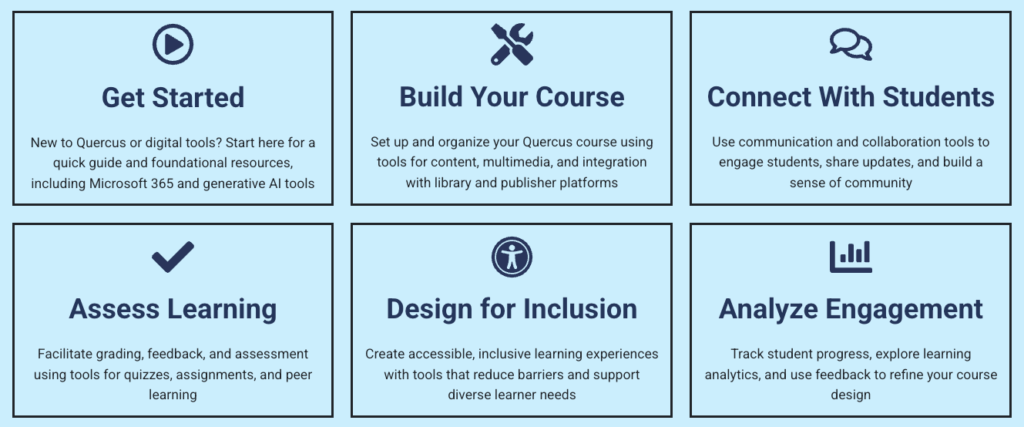
The Academic Toolbox helps you...
Typical Course Format?
Most tools in the Academic Toolbox can assist in both online and face-to-face courses. Many tools can provide benefits in either synchronous or asynchronous teaching. Some tools have been primarily designed for one format or another (synchronous/asynchronous), however, may be adapted for any format depending on your pedagogical goals.
To learn more about different teaching modalities, please consult our Online Teaching & Learning page, arrange a consultation with a CTSI Teaching Liason, or contact your Divisional support representative.
Where can I get more support?
How to Get Started
Access Clipchamp in multiple ways, using your University of Toronto login to create a new video:
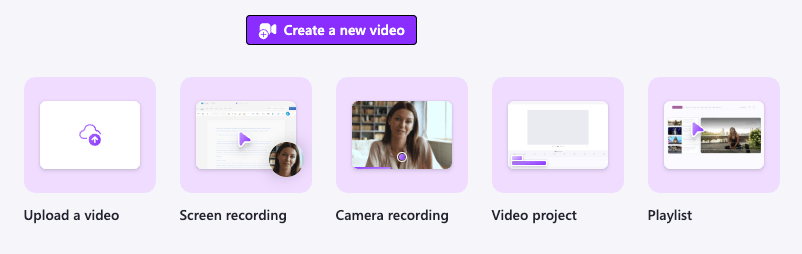
- Clipchamp | Microsoft 365 – through the Microsoft web link
- Microsoft 365 “Apps” launcher (the menu at the top left of most other Microsoft applications)
- Clipchamp desktop app for Windows
Edit an existing video through OneDrive and SharePoint:

- In OneDrive and SharePoint, you can start a Clipchamp project using an existing video. Navigate to the file, open the video and select “Open editor” at the top of the video playback.
Instructions
-
Upload Media
Upload Media: Click on the “Add Media” button to upload videos, images, or audio files from your computer.
Stock Library: Use the built-in stock library to find and insert royalty-free media. Access a vast library of royalty-free stock videos, music, and sound effects to enhance your projects.
Drag and Drop: drag and drop your media files into the Clipchamp editor. -
Edit Images
Upload or use the Stock Library for images.
- Select Image: Click on the image you want to edit in the timeline.
- Crop and Resize: Use the crop and resize tools to adjust the dimensions of your image.
- Filters and Effects: Apply various filters and effects to enhance your image.
- Adjustments: Modify brightness, contrast, and saturation to get the desired look.
Note that these adjustments are only for images, not for videos.
-
Using the green Screen
Using the green screen (chroma key) effect in Clipchamp is a great way to replace backgrounds and create more dynamic videos. Here’s a step-by-step guide to help you get started:
- Upload Your Media
- Start by uploading the video with the green screen background and the background image or video you want to use.
- Click on the “Add Media” button to upload your files or drag and drop them into the media library.
- Add Media to Timeline
- Drag the green screen video to the timeline.
- Place the background image or video on a track below the green screen video.
- Apply the Green Screen Effect
- Select the green screen video in the timeline.
- Go to the “Filters” tab in the right-hand panel.
- Choose the “Green Screen” filter from the list of available filters.
- Adjust the Settings
- Use the sliders to fine-tune the effect. Adjust the “Threshold” and “Edge Feather” settings to ensure the green screen is properly removed and the edges are smooth.
- You can also adjust the “Color” if your background is not perfectly green.
- Preview and Edit
- Play the video in the preview window to see how the green screen effect looks.
- Make any additional adjustments to ensure the background replacement looks seamless.
- Export Your Video
- Once you’re satisfied with the result, click on the “Export” button.
- Choose your desired resolution and export your video.
Tips for Best Results
- Lighting: Ensure your green screen is evenly lit to avoid shadows and achieve a cleaner key.
- Distance: Keep some distance between the subject and the green screen to avoid green spill on the subject.
- Clothing: Avoid wearing green clothing or accessories that might blend with the background.
Green Screen Resources
How to use the Green Screen Effect in Clipchamp (Microsoft)
How to make Green Screen Videos (Clipchamp Blog)
How-to: Replace video backgrounds with any image or video using the chroma key feature
How to Use Green Screen (Chroma Key) (YouTube)
How to Use the Green Screen in Clipchamp (YouTube)
How to use Clipchamp’s Green Screen Feature (YouTube)
How to make green screen videos (Clipchamp on YouTube) - Upload Your Media
-
Other Features
Clipchamp offers a variety of advanced features that can help you create professional-quality videos. Select the links to learn more about individual features.
- AI-Powered Tools
- Background Removal
- Multi-Item Editing
- 4K Video Export
- Screen and Webcam Recording
- Brand Kit
- Auto Compose
- Speaker Coach
Guides
-
Clipchamp Documentation
Videos
Additional Information From Local Academic Units
Faculty of Applied Science and Engineering (FASE)
FASE ETO (Education Technology Office):
Last Modified:
13 January, 2026
This work is licensed under a Creative Commons BY-NC-SA 4.0 International License